Importing Aseprite Animations in Godot
Who is this for
- Any person importing animations created in Aseprite into Godot.
Tools
Install Aseprite Wizard
- Download the Aseprite Wizard plugin.
Importing animations
- Open your Godot project.
- Drag and drop the
.asepritefile into the Godot file system.
Prepare an AnimatedSprite2D
- Create a new scene.
- Add an
AnimatedSprite2Dnode.
- Open the inspector panel.
- At the bottom, under
Aseprite, select the.asepritefile you imported. (You can drag and drop the file into theAseprite Filefield.)
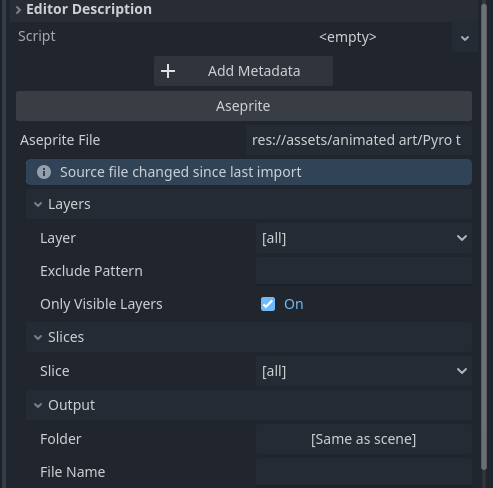
- Click the
Importbutton.
Reimporting after the Aseprite file has been updated
- Open the
AnimatedSprite2Dnode. - At the bottom, under
Aseprite, click theReimportbutton.